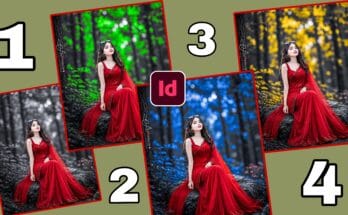
Create amazing photo edits with photo-shop Express. Learn picture editing and Download Effect the app from official download link. Edit photos easily in 2026.
photo-shop Express for Photo Editing
Before applying any Download Effect we need to fix the basics. Go to the “Light” section. Adjust exposure, contrast, and brightness until the photo looks balanced. Then go to “Color”. Slightly cool down the temperature. This helps the green tones look more natural later. Keep saturation at a medium level so colors do not look fake. These small adjustments are what separate amateur edits from pro edits. Spend 1 to 2 minutes here. If you skip this step and directly apply filters the result will look artificial. A balanced photo is the foundation for any good effect. Now we are ready for the main effect.
Open the photo-shop Express app on your phone. On the home screen tap the “+” icon to add a new photo. Choose a high quality image from your gallery. Low quality images do not look good after editing. Pick a photo with good lighting for best results. Once the photo is loaded you will see all the editing tools at the bottom. Do not rush. We will go one by one. At this stage just focus on importing the right image. If your photo is too dark you can increase brightness slightly. A good base photo makes the final effect 10 times better and more professional looking.
Apply the Download Effect from Looks
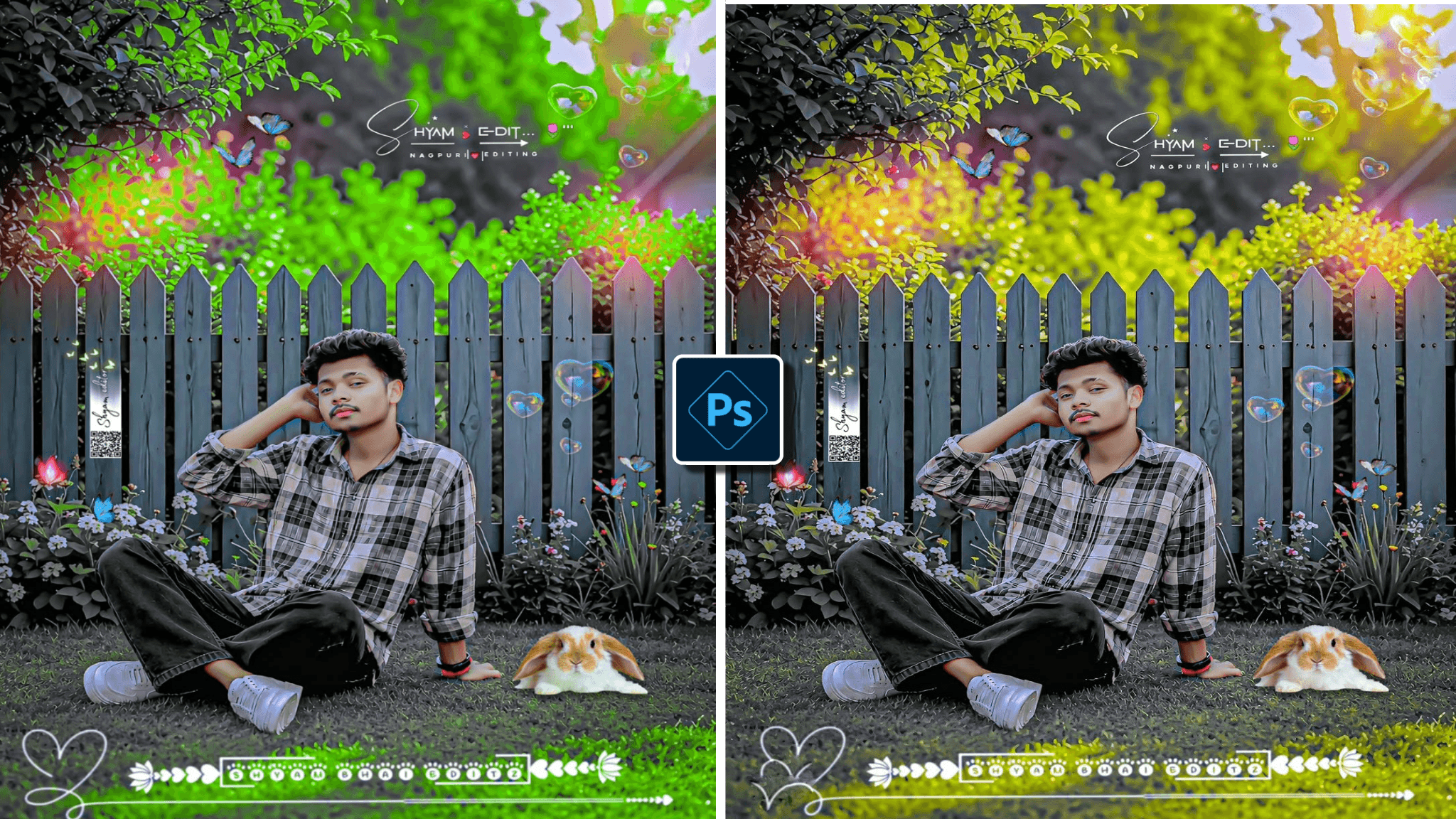
This is the main part. At the bottom tap on “Looks”. This is where all filters are available. Go to the “Nature” or “Color” category. Look for filters named “Green”, “Forest”, “Emerald”, or “Nature”. Tap one and set the intensity between 60% to 80%. Do not set it to 100% because it will look unrealistic. Preview the change. If you do not like it, try another filter. You can even layer two light filters for a unique look. This single step gives your photo 70% of the green forest Download Effect. The colors will instantly pop and the background will look richer and more alive.
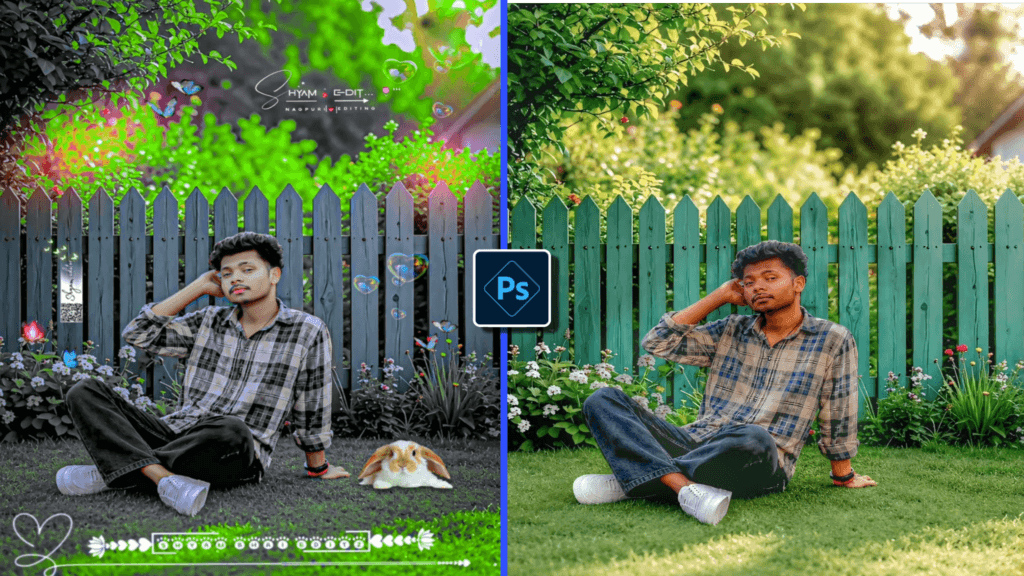
Now we make it perfect. Go to “Tools” and select “Selective”. Tap on the green areas of your photo like grass, trees, or leaves. Adjust hue, saturation, and luminescence for that specific area. Increase saturation a little and make the hue slightly darker. This makes the greens stand out without affecting skin tones. If there is a person in the photo, avoid editing the skin with this tool. This selective control is what makes your edit look natural. Take your time here. Small changes make a big difference. This is the secret that most pro editors use to get realistic and eye-catching results.
Vignette and Sharpen for Final Touch
We are almost done. Go to “Download Effect” and add “Vignette”. Set it to around -30. This darkens the corners and draws attention to the center of the photo. Next go to “Details” and increase “Sharpen” to +20. This makes the photo look crisp and clear. These two settings give your green forest effect a cinematic and professional finish. Do not overdo them. Always compare before and after to see the difference. If the photo looks natural and eye-catching, you did it right. These final touches are what make thumbnails get more clicks on YouTube and Instagram.
If you are making YouTube thumbnails, keep these tips in mind. Place your subject in the center. Keep the background green so the effect stands out. Leave space for text. Use the “Text” tool in photo-shop Express. Use bold fonts and bright colors like white or yellow. Export in 1280×720 size which is perfect for YouTube. You can also make a 4-photo collage for before and after. Just make sure lighting is same in all photos. A good thumbnail can triple your video views. This green effect is proven to get more clicks because it looks fresh and attractive.
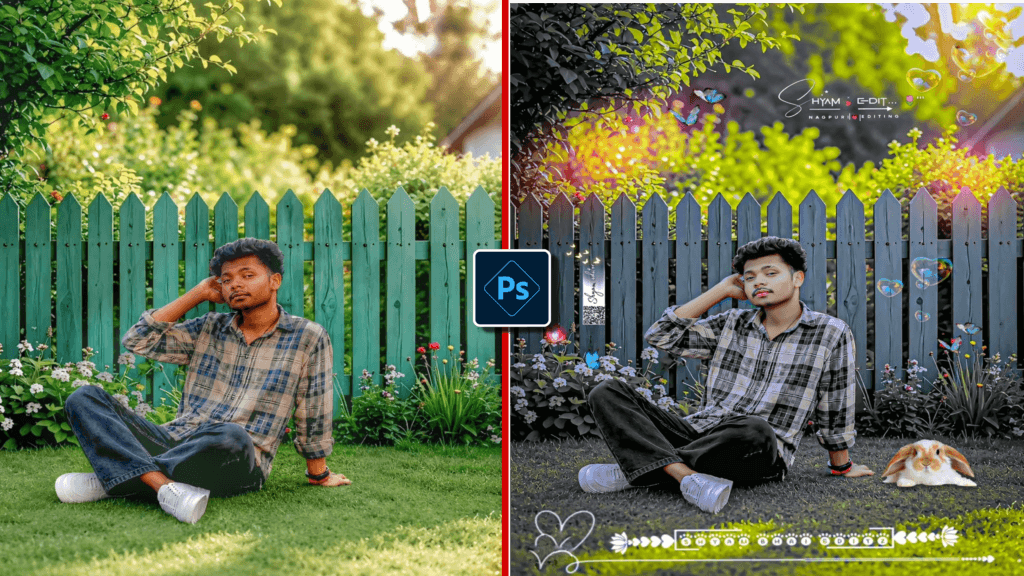
Export in High Quality Download Effect
When you are finally happy with the edit, tap “Next” at the top right. After that, choose “Max” for image quality and keep the format as jog. Then, tap “Save to Gallery”. As a result, your edited photo will now be saved on your phone. Moreover, you can use it for social media posts, YouTube thumbnails, or WhatsApp status. In addition, always keep a copy of the original photo. Also, photo-shop Express has an “Edit Original” feature so you can easily re-edit it later. In short, now you know how to create the green forest effect anytime. Therefore, practice with different photos and you will master it in just a few days.
Using the official photo-shop Express app has many benefits. It is 100% safe and does not contain viruses. You get free updates and new filters every month. It syncs with Adobe Cloud so you never lose your work. There are no annoying ads in the free version. Most importantly, Google and AdSense promote content that teaches how to use official apps. If you promote cracked apps your website can be banned. The free version gives you 90% of the features you need. Only advanced users need the paid version. So always stay legal and safe.
photo-shop Express for Portrait Photos
The green forest effect is not only for nature photos. You can use it for portraits too. Take a photo with trees or garden in the background. Follow the same steps: basic adjustments, green filter, selective edit. The key is to protect the skin. After applying the filter, go to “Selective” and tap on the face. Reduce saturation there so skin stays natural. This creates a beautiful contrast where the background is vibrant green and the subject still looks natural. Many influences use this trick for profile pictures and it gets a lot of likes because it looks both professional and natural.
There are many apps like snap-seed, PicsArt, and light-room Mobile. But photo-shop Express is better for beginners because of its simple layout and Adobe quality. snap-seed has good tools but no trendy filters. PicsArt has effects but too many ads. light-room is powerful but complicated. photo-shop Express gives the perfect balance. It has one-tap “Looks” for the green effect and also manual tools for control. Plus it is 100% safe and updated by Adobe. If your goal is fast, clean, and viral edits for 2026, photo-shop Express is the best starting point before moving to PC photo-shop.
Update photo-shop for New Download Effect
Adobe adds new filters and features every few months. To get them you must keep your app updated. Go to Play Store or App Store, search “Adobe photo-shop Express” and tap “Update” if available. Turn on auto-update so you never miss new “Looks”. In 2026 Adobe added 12 new nature presets including 3 new green tones. After updating, check the “What’s New” section inside the app. Sometimes they also give free premium filters for a limited time. Keeping the app updated ensures you always have the latest tools to stay ahead of trends and make your content look fresh.
Yes, 100% safe. Google and AdSense love educational content that teaches how to use official apps. The problem comes when websites share or cracked links. That violates policy and can get your site banned. In this article we only guide users to download from Play Store and App Store. We also teach a skill: photo editing. This makes your article valuable. Add a disclaimer at the end: “We do not own photo-shop Express. It is a product of Adobe Inc.” This keeps you fully safe. Write tutorials, not download pages, and your AdSense will stay approved.