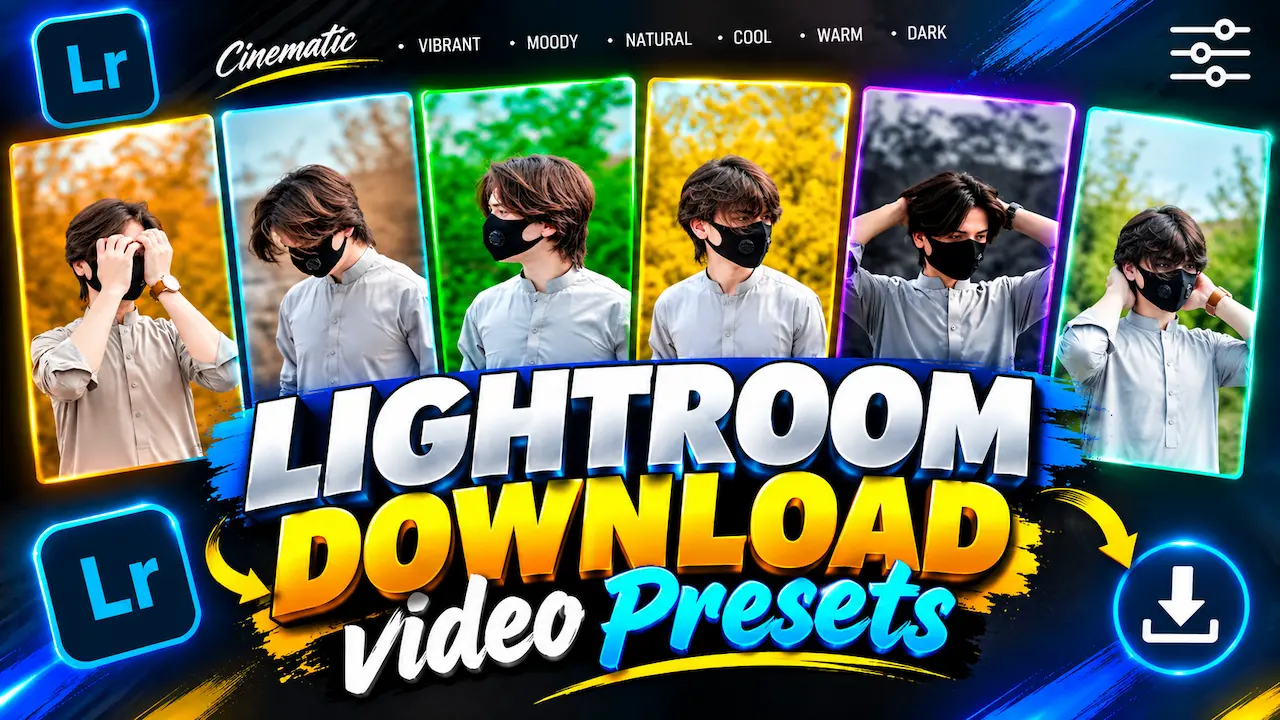
I’m sharing my top Cinematic Lightroom Video Presets. These presets include Vibrant, Moody, Natural, Cool, Warm tones. Perfect for your video color grading.
Cinematic Lightroom Video Presets
In this video, I’m sharing my top 6 Cinematic Lightroom Video Presets. These presets include Vibrant, Moody, Natural, Cool, Warm and Dark tones. Perfect for your video color grading. If you are a content creator, YouTuber, or short film maker, color grading is the most important part of your workflow. These presets will save you hours of editing time and give your videos a professional Hollywood look with just one click. All presets are compatible with Lightroom Mobile and Desktop.
Lightroom video presets give you pre-defined color grading settings that you can apply to your videos instantly. Unlike manual editing, you don’t need to adjust exposure, contrast, highlights, and color wheels every time. A good preset does all the work for you. For beginners, presets offer a great way to learn color theory, and for professionals, they save a lot of time. I specially designed our pack for 2K and 4K videos to maintain quality without losing details or skin tones.
Preset – For Lightroom and Colorful Videos
The Vibrant preset is perfect for travel vlogs, fashion videos, and lifestyle content. This preset boosts saturation and enhances natural colors without making skin look unnatural. It makes blue skies more blue, greens more lush, and overall footage more alive. If your videos look dull or washed out straight from the camera, this preset will instantly make them pop. It works best in daylight conditions and is highly recommended for outdoor shoots, Instagram reels, and YouTube vlogs where you need high energy visuals.

The Moody preset creates a dark, emotional, and cinematic atmosphere. It is inspired by modern music videos and cinematic short films. This preset slightly lowers highlights and adds a soft fade to shadows, giving your video a film-like texture. It is perfect for storytelling, sad songs, or aesthetic Instagram videos. If you want to add depth and emotion to your footage, this preset is for you. It works exceptionally well with footage shot during cloudy weather or in low light conditions.
Preset – For Clean and Realistic Skin Tones
The Natural preset stands as the most balanced preset in this pack. Many creators struggle with skin tones turning orange or red after applying filters. I designed this preset to keep skin tones 100% natural and realistic while only enhancing the background. It suits daily vlogs, talking head videos, product reviews, and wedding films perfectly. If you want a clean, professional, and natural look without heavy color grading, you will find this preset becomes your go-to tool for all your videos.
The Cool preset adds a bluish, icy tone to your videos, making them look modern and premium. This tone is very popular in 2024 and 2025 for fashion films, urban vlogs, and night city shots. It cools down warm temperatures and gives a fresh, crisp look. If you shoot in hot or warm conditions and want to neutralize that yellowish tint, this preset does it perfectly. It is also great for creating a premium brand commercial look with minimal effort in Lightroom.

Preset – For Lightroom and Aesthetic Vibes
The Warm preset is inspired by the golden hour sunlight. It adds soft orange and golden tones to your videos, creating a warm, cozy, and nostalgic feeling. This preset is perfect for sunset videos, friendship videos, wedding highlights, and romantic edits. It makes your footage feel dreamy and emotional. Many popular TikTok and Instagram trends use this warm look. If you want your videos to feel more inviting and aesthetic, applying this warm filter will completely transform your video’s mood instantly.
The Dark preset is for creators who love a deep, mysterious, and high-contrast cinematic look. It crushes the blacks slightly and adds intensity to your footage. Filmmakers often use this look in thriller short films, cinematic B-roll, and moody reels. It makes colors look richer and more dramatic. Unlike other dark filters that destroy details, our dark preset preserves shadows so you can still see everything clearly. You can best use it for night shoots, car videos, and intense storytelling content.
Color Grading Support and High Quality Output
All these 6 presets are optimized for 2K color grading and also support Full HD and 4K resolution. Many free presets on the internet reduce video quality and add noise. Our presets are tested to maintain sharpness and quality. When you export from Lightroom, your video will stay sharp and clean. This is very important for YouTube because YouTube already compresses videos. Starting with high-quality grading ensures your final video still looks professional after uploading to any platform.
You can use these presets in Lightroom Mobile (Free version), Lightroom Desktop, and Lightroom Classic. The installation process is very easy. For mobile users, we provide DNG files, you just need to copy the settings and paste them onto your video. For desktop users, we provide XMP files. i tutorial on how to install these presets is included in this video. You don’t need any paid subscription to use these presets. They work 100% on both Android and iOS.
2K + Presets Download
Perfect Result After Applying Preset
First, download the preset pack from the link in the description. If you are on mobile, open Lightroom and import the DNG preset files. Open a DNG file, tap on the three dots, and select Copy Settings. Now import your own video and paste the settings. For desktop users, go to File > Import Profiles and Presets and import the XMP files. Once imported, they will appear in your Presets panel. You can then apply them to any video with one click and adjust intensity as needed.
After applying any preset, you might need to do small adjustments for the perfect result. Every video has different lighting, so always adjust Exposure and White Balance according to your clip. If the preset looks too strong, reduce its intensity from 100 to 70-80. Also, make sure your original video was shot in good light. These presets work best when your video is not overexposed. A little manual tweaking after the preset will give you a 100% professional result that stands out.
Cinematic Color Grading is Important for Growth
Viewers decide in 3 seconds whether to watch your video or not. Good color grading makes your content look expensive and professional, even if you shot it on a phone. Cinematic grading increases watch time and engagement. Brands also prefer creators who deliver good visual quality. When you use these 6 presets, you do more than just add a filter. You improve your entire channel’s branding and make your content more watchable and shareable.
Thank you for watching this video and supporting my work. All 6 Cinematic Lightroom Video Presets are available for download. The link is in the description and pinned comment. Please watch the full installation tutorial before commenting. If you face any issue, comment below and I will reply. Don’t forget to like, share, and subscribe for more Lightroom presets, editing tutorials, and color grading packs. Your one subscribe motivates me to bring more high-quality free editing resources for you every week.


