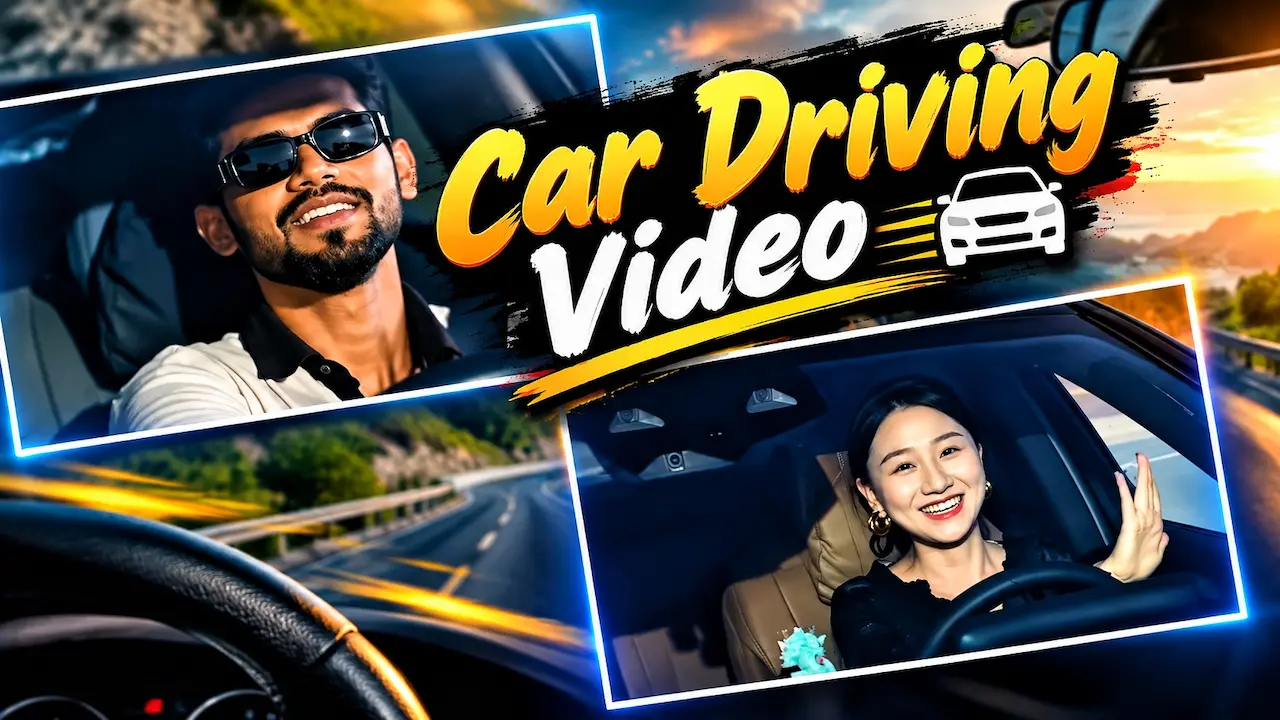
Learn how to create the viral AI Car Driving Video in just 1 minute! In this tutorial, I will show you how to generate the trending using my prompt.
AI Car Driving Video Trend
This trend started with a few creators who used Google Flow and other AI video tools to create a luxury car driving scene. The format is simple: a person is Car Driving, smiling, enjoying music, with a beautiful sunset or mountain road in the background. The most popular version is the black Mercedes trend, often paired with the viral audio. The reason it went viral is because it fulfills everyone’s dream car fantasy. AI makes it possible to live that dream virtually, and the results are ultra-realistic and highly shareable.
The AI Car Driving video trend has taken over Instagram and YouTube in 2026, gaining millions of views in just a few days. Everyone is posting their own version where they are seen driving a luxury black Mercedes on a cinematic highway. This video looks so realistic that people think it was shot with a real car, but it is fully generated by artificial intelligence. In this tutorial, I will explain how you can create this viral video in just one minute using my personal prompt, without needing any car or expensive camera setup at home.

Trend Getting Millions of Views
The algorithm of Instagram and YouTube is currently pushing AI content heavily, especially cinematic car videos. There are three reasons for its virility. First, it is aspiration; everyone wants to be seen in a luxury car. Second, it is easy to create, so more people can participate. Third, the quality of new AI models like Google Veto 3 and Flow is so high that it looks like a real movie clip. When you add a trending song, the combination becomes unstoppable and the reel gets pushed to the explore page quickly.
You do not need a high-end PC for this. You only need two tools. First is an AI image generator to create your base photo, you can use Gemini, Leonardo AI, or Ideogram. Second is an Car Driving AI video generator to animate that image, the best tool for this trend is Google Flow. Google Flow has a “Frame to Video” feature which is perfect for this. You can access it at flow.google.com with your Google account. Some free credits are given every month, which is enough to create 3-4 viral videos easily without paying.

Creating Your Base Car Driving Image
Before you make a video, you need a perfect still image. Go to Gemini and upload a clear front-facing photo of yourself. Then use this prompt: “Create an ultra-realistic image of the person in the uploaded photo Car Driving a black Mercedes-Benz G-Wagon, wearing sunglasses, light-colored shirt, hand on steering wheel, cinematic sunset lighting, highway background, 8K, highly detailed, same face 100%”. Make sure to keep the aspect ratio 9:16 for Instagram Reels. Generate and download the best result where your face is clearly visible.
This is the most important part and my exclusive prompt that is giving viral results. After you have your image, go to Google Flow and select “Frame to Video”. Upload your generated driving image. Now paste this prompt in the text box: “Generate a hyper-realistic cinematic Car Driving video using the uploaded image only. Lock face identity 100%, no face change. Driver is smiling with a soft micro-smile, gentle head movement enjoying music. Car Driving moving on a long straight highway, dashboard view, slight camera shake, warm golden hour lighting, trees passing in background. 8 seconds, vertical 9:16, ultra smooth motion.”
Generating and Exporting the Car Driving Video
Once you have pasted the prompt and uploaded the image, click on the generate button. The AI will take around 60 to 90 seconds to process your video. It will create a smooth Car Driving animation from your still image. The result will have natural head movements, background motion, and realistic lighting. Preview the video carefully. If the face changes even slightly, regenerate it again. When you are satisfied with the output, export it in 1080p resolution. The file will be saved as an MP4 ready for Instagram.
PromPt
Create an ultra-realistic cinematic portrait of the SAME PERSON from the provided reference photo. Preserve his exact facial identity, face shape, facial features, skin tone, hairstyle, beard, eyebrows, nose, eyes, lips and natural proportions. Do not redesign, beautify, age, or alter his face. 4Place him sitting naturally in the driver’s seat of a premium luxury car, viewed from inside the car through the windshield. He is wearing a clean off-white/cream long-sleeve shirt with a dark brown/black collar. Add stylish black sunglasses that naturally fit his face.
Generate Video
Now your Car Driving AI video is ready, but to make it viral you need proper editing. Import the video into CapCut or VB Editor on your phone. First, add the trending audio or “Just A Boy”. Sync the video so your smile matches the beat. Add a slight zoom-in effect at the start for more cinematic feel. You can also add auto-captions like “AI sauna sacs kart hiya”. Keep the final video length between 6 to 8 seconds, as short videos have higher retention and perform best on Reels.
Make Your Video Stand Out From Crowd
Undoubtedly, many beginners make mistakes that make their video look fake. First of all, the first mistake is using a blurry input photo; therefore, always use a high-quality image. Secondly, another common mistake is not locking the face identity in the prompt, as a result of which your face changes completely. Thirdly, many people use a wrong aspect ratio like 16:9 for Reels; however, you should always use 9:16. Moreover, the fourth mistake is adding too much motion in the prompt like “drifting car”, which consequently breaks the realism. Finally, to get the best results, keep the prompt simple, realistic, and focused on gentle driving motion.
Yes, this content is 100% safe for YouTube and Instagram monetization because it is trans formative and educational. You are creating original AI-generated content using your own face, not copying someone Elsie’s video. Google Flow’s terms allow you to use generated videos for commercial purposes. However, to stay completely safe, always mention in your description that “This video is created using AI for educational purposes”. Avoid using any brand logo like Mercedes in your thumbnail in a misleading way that suggests you own the car.
Car Driving Tools if Google Flow is Not Working
Since thousands of people are making the same video, you need to be creative to stand out. Instead of just a black Mercedes, try different variations like a Thar in the mountains, a convertible at night, or a luxury car in the rain. You can also change the location prompt to “Tokyo night drive” or “Desert highway in Dubai”. Another idea is to add a second person in the passenger seat. This small twist makes your video unique and the algorithm will push it as original content instead of a copied trend.
However, if Google Flow is showing a limit or is not available in your country, then you can easily use alternatives. For instance, the best free alternatives are Kling AI and Hailuo AI. Moreover, they also have a powerful image-to-video feature. Furthermore, the prompt remains exactly the same, so you do not need to change anything. Additionally, another great option is RunwayML Gen-3, which gives very cinematic results. Similarly, the process is identical: first upload image, then paste my prompt, and finally generate. As a result, the quality might be slightly different, but the viral effect is essentially the same. Finally, you can also try Luma Dream Machine for a more realistic driving background motion.


